Key Takeaways
- Startup cost: Software from ~$39/mo (platform) + domain; realistic first launch $1,000–$5,000 once apps, inventory, and ads are included.
- Models: Dropshipping and print-on-demand are lowest-risk; private label and digital products carry the highest margins (digital can run 80%+).
- Platform: Hosted (Shopify, ~$39/mo) is easiest to launch; self-hosted (WooCommerce) is free software but needs hosting and more setup.
- Sales tax: You collect tax where you have nexus. Florida’s economic-nexus threshold is $100,000 in prior-year sales; marketplaces like Amazon and Etsy collect on your behalf.
- Best first step: Validate demand with a small test before you buy inventory — most stores fail on product-market fit, not on the tech.
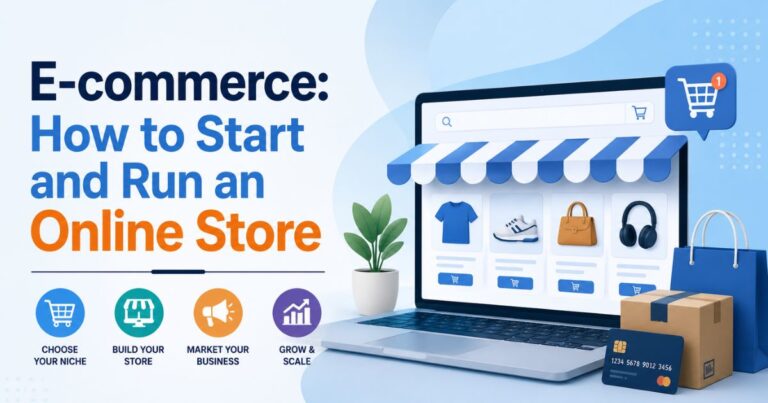
E-commerce is the business of selling products or services online — through your own website, a marketplace like Amazon or Etsy, or both. It has never been easier to launch a store, and it has never been more competitive. This guide walks the full path: what e-commerce is, what it costs, which business models and platforms fit which sellers, an 8-step launch plan, and how to handle the parts new sellers underestimate most — shipping, sales tax, and marketing.
This is a hub in our Business & Finance complete guide; use the internal links throughout to go deeper on structure, taxes, and marketing. Everything here is educational, not legal or tax advice, and pricing and tax rules change — confirm current figures against the primary sources linked below before you commit.
Table of Contents
- 1 What is e-commerce?
- 2 How much does it cost to start an online store?
- 3 Is an online store profitable?
- 4 What are the types of e-commerce business models?
- 5 How to start an online store in 8 steps
- 5.1 Step 1: Choose a product and niche
- 5.2 Step 2: Validate demand and source products
- 5.3 Step 3: Choose a business structure and register
- 5.4 Step 4: Pick an e-commerce platform
- 5.5 Step 5: Build your store
- 5.6 Step 6: Set up shipping and fulfillment
- 5.7 Step 7: Handle sales tax and compliance
- 5.8 Step 8: Market and launch your store
- 6 Shopify vs WooCommerce vs other platforms
- 7 Marketplaces vs your own online store
- 8 E-commerce tools and platforms
- 9 E-commerce sales tax in Florida (and beyond)
- 10 Frequently Asked Questions About E-commerce
What is e-commerce?
E-commerce is the buying and selling of goods or services over the internet, including transactions on your own website, on marketplaces, and through social and mobile channels. It spans physical products (apparel, electronics), digital products (courses, templates), and services, and it now makes up a significant share of retail: about 16.9% of total U.S. retail sales in early 2026 — roughly $326.7 billion in a single quarter — per the U.S. Census Bureau’s Quarterly E-Commerce Report.
The main models range from reselling other companies’ products to selling your own brand, and the right one depends on your budget, risk tolerance, and how hands-on you want to be. The rest of this guide breaks those down and shows how to launch.
How much does it cost to start an online store?
Starting an online store costs as little as $39 a month in software — a hosted platform plan plus a domain name (about $10–$20 a year) — but a realistic launch usually runs $1,000 to $5,000 once you factor in apps, a theme, initial inventory, and a small advertising budget. Inventory-heavy models (private label, wholesale) push the upfront cost higher, often $2,000–$10,000+ for a first product run.
Here’s a typical monthly and startup breakdown for a small store: platform subscription $39/mo (Shopify Basic) or free software plus $10–$30/mo hosting (WooCommerce); domain ~$15/yr; theme $0–$400 (free themes work); apps $50–$300/mo (email, reviews, upsells); and payment processing of about 2.9% + 30¢ per sale. Ads and inventory are the biggest variables. The lean way to test an idea — dropshipping or digital products on a starter plan — can get you live for a few hundred dollars; a branded, inventory-based store costs more. (Platform pricing is verified below as of 2026; confirm current rates on the provider’s site before budgeting — flagged VERIFY.)
Is an online store profitable?
An online store can be profitable, but margins vary widely by model, and the average store’s net profit margin is often around 10% after product, platform, payment, shipping, and advertising costs. Profitability is driven less by the platform than by three things: your gross margin per product, your customer-acquisition cost, and repeat-purchase rate. Thin-margin models live or die on cheap traffic; high-margin models can absorb paid acquisition.
Illustrative margins by model (typical ranges, not guarantees): digital products can run 80–95%+ because the marginal cost of another sale is near zero; private-label brands often see 30–50%+ gross margins; wholesale/reselling and print-on-demand land in the 15–40% range; and dropshipping is thinnest at roughly 10–20%, since ad costs eat into an already-slim spread. The takeaway: pick a model whose margin can survive the cost of getting customers, because traffic is rarely free.
What are the types of e-commerce business models?
E-commerce business models differ mainly in who owns the inventory and the brand. The six most common are dropshipping, print-on-demand, wholesale/reselling, private label, subscription, and digital products — ranging from low-upfront-cost/low-margin to higher-effort/higher-margin. Each is defined below with how it works, its trade-offs, and who it fits.
Dropshipping
Dropshipping is a model where you sell products a third-party supplier ships directly to the customer, so you never hold inventory. How it works: you list the supplier’s products, and when a sale comes in, the supplier fulfills it; you keep the margin. Pros and cons: very low upfront cost and no inventory risk, but thin margins (often 10–20%), long shipping times, and heavy competition. Common mistake: selling the same generic products as everyone else with no differentiation. Best for: beginners testing niches on a small budget.
Print-on-demand
Print-on-demand (POD) is a model where custom designs are printed on products (t-shirts, mugs, posters) only after a customer orders. How it works: you upload designs, a POD partner prints and ships per order, and you keep the difference over the base cost. Pros and cons: no inventory and creative control, but margins are squeezed by per-item base costs (typically 15–30% net). Common mistake: ignoring print quality and mockup accuracy, which drives returns. Best for: designers and creators with an audience.
Wholesale and reselling
Wholesale and reselling is a model where you buy products in bulk at a discount and resell them at retail. How it works: you purchase inventory upfront, store it (or use a warehouse), and sell at a markup. Pros and cons: better margins than dropshipping and control over fulfillment, but you carry inventory risk and tie up cash. Common mistake: a cash-flow crunch from over-ordering slow-moving stock. Best for: sellers with some capital who want established products.
Private label / your own products
Private label is a model where you sell products manufactured for you under your own brand. How it works: you source a manufacturer, put your branding on the product, and control pricing and positioning. Pros and cons: the highest margins (often 30–50%+) and real brand equity, but the most upfront cost, effort, and quality-control responsibility. Common mistake: skipping product samples and ending up with quality issues at scale. Best for: committed sellers building a lasting brand.
Subscription e-commerce
Subscription e-commerce is a model that charges customers on a recurring basis — a box of products, a replenishment, or membership access. How it works: customers sign up for recurring deliveries or access, giving you predictable revenue. Pros and cons: recurring revenue and higher customer lifetime value, but success hinges on retention, and churn can quietly kill the economics. Common mistake: underestimating churn and over-spending to acquire customers who cancel fast. Best for: consumable or curated-experience products.
Digital products
Digital products are a model built on selling downloads or access — courses, templates, e-books, software, presets. How it works: you create once and sell repeatedly, delivering the file or access automatically. Pros and cons: near-zero marginal cost and margins that can exceed 80–90%, but you compete on authority and quality, and piracy is a risk. Common mistake: treating it as passive — marketing and updates still matter. Best for: experts, educators, and creators.
How to start an online store in 8 steps
Starting an online store follows a clear sequence: choose a product, validate demand, register your business, pick a platform, build the store, set up shipping, handle sales tax, and market your launch. Work them in order — the biggest failures come from skipping validation (step 2) and compliance (step 7), not from the build itself.
Step 1: Choose a product and niche
Choosing a product and niche is the foundation of an online store, and the goal is a specific market with real demand, workable margins, and manageable competition. Why it matters: most stores fail on product-market fit, not technology. How to do it: look for products with a passionate audience, a gross margin that can absorb ad costs (aim for products you can mark up 2–3x), and a defensible angle (a niche, a bundle, a brand). Common mistake: chasing broad, saturated categories where you compete on price alone. Narrow beats broad for a new store.
Step 2: Validate demand and source products
Validating demand means testing that people will actually pay before you invest in inventory. Why it matters: it’s the single cheapest way to avoid a costly mistake. How to do it: run small ad tests to a landing page, pre-sell a limited batch, gauge search volume for the product, or start with dropshipping/POD to test with no inventory. For sourcing, vet suppliers on directories or at trade shows, order samples, and confirm lead times and minimums before committing. Common mistake: buying a large first order on a hunch. Prove demand, then scale.
Step 3: Choose a business structure and register
Choosing a business structure sets your legal and tax footing before you take money. Why it matters: the right structure protects your personal assets and affects how you’re taxed. How to do it: many online sellers start as a sole proprietor for simplicity, then form an LLC for liability protection as they grow; compare the options in our guide to LLC vs S-Corp vs sole proprietorship. Register your business and get any required licenses via the U.S. Small Business Administration, and get an EIN from the IRS if you form an LLC or hire employees. Common mistake: commingling personal and business finances — open a dedicated business bank account from day one.
Step 4: Pick an e-commerce platform
Picking a platform is choosing the software that runs your store, and the main decision is hosted versus self-hosted. Why it matters: it shapes your costs, ease of setup, and how much you can customize. How to do it: hosted platforms (Shopify, BigCommerce, Wix) handle hosting, security, and updates for a monthly fee — fastest to launch; self-hosted (WooCommerce on WordPress) is free software you host yourself, offering full control but more maintenance. Weigh pricing, ease of use, transaction fees, and scalability (full comparison below). Common mistake: over-buying a high tier before you have sales.
For most first-time sellers, a hosted platform like Shopify (from $39/month) is the fastest way to a working store; WordPress users who want maximum control often prefer WooCommerce.
Step 5: Build your store
Building your store means turning the platform into a storefront that converts — design, product pages, checkout, and payments. Why it matters: a clear, trustworthy store is what turns visitors into buyers. How to do it: start with a clean free theme, write benefit-led product pages with quality photos, keep navigation simple, and set up a payment gateway (Shopify Payments, Stripe, or PayPal) with a short, low-friction checkout. Add trust signals — reviews, clear returns, secure-checkout badges. Common mistake: a complicated, multi-step checkout; nearly 7 in 10 carts are abandoned, often over surprise costs or forced account creation.
Step 6: Set up shipping and fulfillment
Setting up shipping and fulfillment determines how orders reach customers and how much it costs you. Why it matters: shipping cost and speed are leading causes of abandoned carts and returns. How to do it: decide between self-fulfillment (you pack and ship, using carrier discounts through your platform) and a third-party logistics provider (3PL) that stores and ships for you as you scale. Set clear shipping rates — flat, free-over-threshold, or real-time carrier rates — and factor shipping into your margins, not as an afterthought. Common mistake: offering “free shipping” without building the cost into your prices.
Step 7: Handle sales tax and compliance
Handling sales tax means collecting and remitting tax in every state where you have nexus — a sufficient connection through physical presence or economic activity. Why it matters: getting it wrong creates back-tax liability. How to do it: after the 2018 South Dakota v. Wayfair decision, most states set an economic-nexus threshold of $100,000 in sales or 200 transactions (some, like Florida, use $100,000 with no transaction count; California uses $500,000). Register in states where you cross the threshold, then collect and remit — automation tools can apply the right rate by destination. Sales through Amazon, Etsy, or eBay are generally collected by the marketplace for you. See our business taxes guide for the full picture. Common mistake: ignoring nexus until an audit; track your state-by-state sales from the start.
Step 8: Market and launch your store
Marketing and launching your store is how you get traffic and turn your first visitors into customers — the work never really ends here. Why it matters: a great store with no traffic makes no sales. How to do it: combine channels — SEO and content for durable free traffic, paid ads (Meta, Google, TikTok) for fast testing, email and SMS for retention, and organic social for brand. Start with one or two channels you can execute well rather than spreading thin. Our business marketing strategies guide goes deep on each. Common mistake: spending the whole budget on ads with no email capture, so you pay to acquire customers you can’t reach again.
Shopify vs WooCommerce vs other platforms
Shopify, WooCommerce, BigCommerce, and Wix are the leading e-commerce platforms, and they differ mainly on ease of use, control, and cost. Shopify is the fastest hosted option; WooCommerce is free, open-source software for WordPress users who want full control; BigCommerce is a hosted platform with no extra transaction fees; and Wix suits small, simple stores. The table compares the essentials (pricing verified for 2026; confirm current rates before you buy).
| Platform | Starting price | Ease of use | Control | Transaction fees* | Best for |
|---|---|---|---|---|---|
| Shopify | $39/mo (Basic); $5 Starter | Very easy (hosted) | Moderate (apps) | 0% with Shopify Payments; card 2.9% + 30¢ | Most sellers; fast launch |
| WooCommerce | Free plugin + ~$10–$30/mo hosting | Moderate (self-hosted) | Full (open-source) | None from platform; pay your gateway | WordPress users wanting control |
| BigCommerce | ~$39/mo | Easy (hosted) | High built-in features | 0% platform fee | Growing stores; feature depth |
| Wix eCommerce | ~$29/mo | Very easy (hosted) | Lower | 0% platform fee | Small, simple stores |
*Transaction fee is separate from card processing. On Shopify, using a third-party gateway instead of Shopify Payments adds a surcharge (2% on Basic, 1% on Grow, 0.5% on Advanced), which is why most sellers use Shopify Payments. Card processing (about 2.9% + 30¢ on Basic, dropping on higher tiers) applies regardless.
Guidance by seller type: if you want the quickest path to a professional store and don’t mind a monthly fee, Shopify; if you already run WordPress and want to own everything, WooCommerce; if you’re scaling and want built-in features without transaction fees, BigCommerce; if you need a simple store fast and cheap, Wix.
Marketplaces vs your own online store
Marketplaces (Amazon, Etsy, eBay) and your own online store solve different problems: marketplaces give you instant access to a huge audience in exchange for fees and control, while your own store gives you ownership of your brand, margins, and customer data in exchange for having to drive your own traffic. Many sellers do both — using marketplaces for reach and a branded store to build direct relationships. Building a store is one part of the broader path in our how to start a business step-by-step guide.
| Factor | Marketplace (Amazon / Etsy / eBay) | Your own store (Shopify / WooCommerce) |
|---|---|---|
| Traffic | Built-in audience; buyers already there | You drive it via SEO, ads, email |
| Fees | Amazon ~8–15% referral; Etsy $0.20 listing + 6.5% + ~3% payment; eBay ~13% final value | Platform subscription + ~2.9% + 30¢ processing |
| Brand & data | Limited; the marketplace owns the customer | You own the brand and customer data |
| Setup speed | Fast | More setup required |
| Sales tax | Collected & remitted for you (marketplace facilitator) | You collect and remit where you have nexus |
| Best for | Reach, testing, handmade (Etsy) | Brand-building, margins, control |
Can you start an online store with no money?
You can start an online store with almost no money, but not truly free. Free platform trials, dropshipping or print-on-demand (no inventory), and digital products (no unit cost) let you launch for the price of a domain (~$15) plus a starter plan. You’ll still need a small budget for ads or content to get your first traffic and sales.
Do you need an LLC for an online store?
You don’t legally need an LLC to run an online store — you can operate as a sole proprietor — but an LLC is often recommended because it separates personal and business liability and can offer tax flexibility as you grow. Many sellers start as a sole proprietor to keep things simple, then form an LLC once revenue and risk increase.
Is dropshipping still worth it?
Dropshipping is still worth it as a low-risk way to test products, but it’s harder than it once was. Margins are thin (often 10–20%), competition is fierce, and long supplier shipping times hurt customer experience. It works best for validating a niche before investing in inventory, or as one part of a broader brand — not as an easy passive-income scheme.
E-commerce tools and platforms
The core e-commerce tool stack covers five jobs: your store platform, payments, shipping, email marketing, and analytics. You don’t need everything on day one — start lean and add tools as specific needs arise, since app costs add up quickly (a typical store spends $50–$300/month on apps).
- Store platform: Shopify or BigCommerce (hosted), or WooCommerce (self-hosted) — the foundation your store runs on.
- Payments: Shopify Payments, Stripe, or PayPal — expect about 2.9% + 30¢ per transaction; using your platform’s native processor usually avoids extra surcharges.
- Shipping & fulfillment: ShipStation or your platform’s built-in labels for self-fulfillment; a 3PL as you scale.
- Email & SMS: Klaviyo or Mailchimp for email, plus an SMS tool — this is how you turn one-time buyers into repeat customers, and it’s the highest-ROI channel for most stores.
- Analytics: Google Analytics plus your platform’s built-in reports to track traffic, conversion rate, and average order value.
E-commerce sales tax in Florida (and beyond)
E-commerce sellers must collect Florida sales tax once they have nexus in the state, and Florida’s economic-nexus threshold is $100,000 in taxable sales delivered to Florida customers in the prior calendar year — with no transaction-count test. Once you cross it, you register with the Florida Department of Revenue, then collect the 6% state rate plus the destination county’s discretionary surtax (combined rates run about 6% to 7.5% depending on the county). Florida is destination-based, so you charge the rate for where the customer receives the item.
Two nuances save sellers real money and headaches. First, marketplace-facilitated sales don’t count toward your $100,000 threshold — if you sell through Amazon, Etsy, or eBay, the marketplace collects and remits Florida tax for you, and only your direct sales (your own website) count toward nexus. Second, physical presence creates immediate nexus regardless of sales — including inventory stored in a Florida fulfillment center, which can catch Amazon FBA sellers by surprise. For the state-specific details, filing frequencies, and county rates, see our Florida sales tax guide for businesses. Rules vary by state and change — this is educational, not tax advice, so confirm your obligations with the Department of Revenue or a licensed professional.
Frequently Asked Questions About E-commerce
Below are common questions people ask about starting and running an online store, with short, current answers.
How much does it cost to start an online store?
Starting an online store costs about $39 a month for a hosted platform plus a domain (~$15/year), so under $100 a month in software. A realistic launch with apps, a theme, initial inventory, and some advertising typically runs $1,000 to $5,000, and inventory-heavy models like private label can require $2,000 to $10,000 or more upfront.
Which e-commerce platform is best for beginners?
Shopify is generally the best e-commerce platform for beginners because it’s hosted — it handles security, hosting, and updates — and gets you a professional store fast for $39 a month. WooCommerce suits WordPress users who want full control and free software, while Wix works for very small, simple stores. Beginners usually value ease over maximum control.
Do I need a business license to sell online?
Whether you need a business license to sell online depends on your state, city, and products, but most online sellers do need to register for a sales-tax permit and may need a local business license. Forming an LLC and getting an EIN from the IRS is common once you grow. Check your state and city requirements before launching.
How do online stores handle sales tax?
Online stores handle sales tax by collecting it in states where they have nexus — a physical presence or enough economic activity (commonly $100,000 in sales). You register with each state’s revenue department, collect tax by the customer’s location, and remit it on schedule. Marketplaces like Amazon and Etsy collect and remit on your behalf, and automation tools apply the correct rates.
What is the most profitable e-commerce model?
Digital products are typically the most profitable e-commerce model because the marginal cost of each sale is near zero, so margins can exceed 80%. Private-label brands are also high-margin (often 30–50%+) with more effort and upfront cost. The trade-off is that high-margin models compete on authority and brand, so marketing, not production, becomes the main cost.